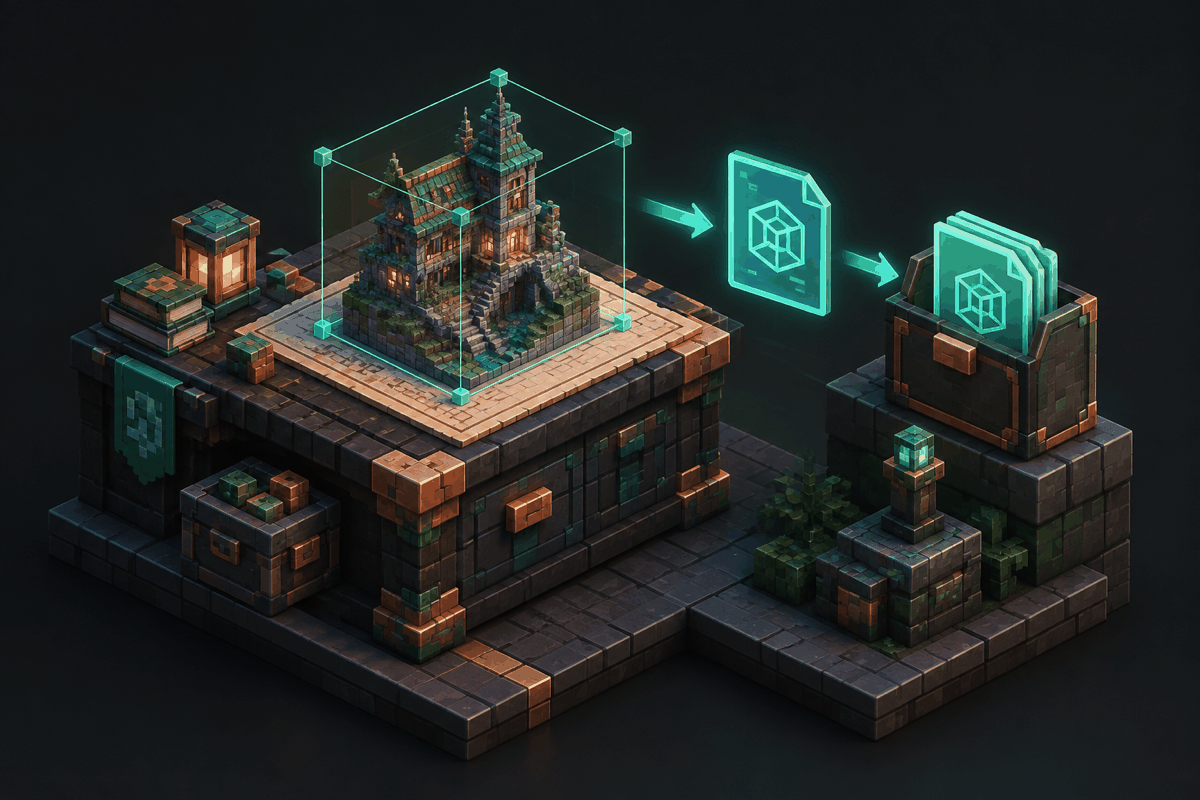
Litematic export is a key part of modern Minecraft building workflows. Builders use the Litematica mod to save structures, move designs between worlds, share creations, and organize large projects with more precision. Understanding how export works helps players avoid lost builds, broken files, and confusing import problems.
A litematic file is a structure file format used by the Litematica mod. It stores information about a selected area, including block positions and other build data. Unlike simply copying a screenshot or writing down coordinates, a litematic export creates a reusable digital blueprint that can be loaded again later.
This guide explains what minecraft litematic export is, how the process works, what problems builders commonly encounter, and how measured planning tools can complement a Litematica workflow.
What Is a Litematic Export?
A litematic export is the process of saving a selected Minecraft structure as a .litematic file. The file can then be imported into another world where Litematica is installed.
The export workflow is useful for many types of builds, including:
- Large survival bases
- Redstone projects
- Pixel art designs
- Decorative structures
- Community build collaborations
- Repeated farming or utility layouts
Instead of rebuilding every block manually, players can preserve a design and recreate it when needed.
Litematic files are associated with the Litematica mod, a popular building utility that provides features such as schematic placement, overlays, and construction assistance. It is commonly used by advanced builders who want more control over large projects.
How Litematic Export Works
The general export process follows a few basic steps.
1. Select the Build Area
Before exporting, a builder selects the region containing the structure. The selection must include every important block that should be saved.
A selection that is too small may cut off parts of the build. A selection that is too large can include unwanted terrain or extra blocks.
For cleaner exports, builders often:
- Remove temporary scaffolding
- Check the selection boundaries carefully
- Confirm the height range includes roofs, towers, or underground sections
- Separate unrelated structures into different files
2. Save the Selection as a Litematic File
After selecting the area, the structure can be saved as a litematic file. The saved file becomes a portable blueprint that can be copied, archived, or shared.
Good file organization makes future imports easier. Useful naming patterns include:
- Build name
- Version number
- Minecraft version
- Date created
For example, a filename such as castle_gate_v2_1.litematic is easier to identify than a generic name like newbuild.litematic.
3. Import and Place the Structure
When the file is loaded in another Minecraft world, Litematica can display a placement preview. This allows builders to compare the planned structure with the actual location before placing blocks.
The preview system is especially helpful for large projects where a small coordinate mistake could affect hundreds or thousands of blocks.
Why Builders Use Litematic Export
Litematic export is valuable because it separates the creative design process from the construction process.
A builder can experiment in a creative world, save the finished design, and later use it in survival mode. Teams can also share files so multiple players can work from the same plan.
Common advantages include:
Faster Rebuilding
Large structures can take many hours to create. A saved litematic allows the same design to be reused without starting from zero.
Better Project Organization
Complex builds often contain multiple sections. Separate exports can keep foundations, interiors, decorations, and technical components organized.
More Accurate Planning
Blueprint-style workflows reduce mistakes. Builders can inspect dimensions before committing resources in survival gameplay.
Litematic Export and Measured Minecraft Design
While Litematica manages saved structures, measured design tools help builders plan shapes before creating those structures.
For example, circular towers, domes, arenas, and decorative patterns can be difficult to design by eye. A measured layout can provide a reliable starting point before the final structure is exported.
MinecraftCircle includes several planning utilities that can support these workflows:
- Circle Generator for creating measured circular layouts
- Circle Chart for reference patterns
- Sphere Generator for rounded structures
- Dome Generator for curved roofs and architectural designs
- Pixel Art Generator for planned block-based artwork
A common workflow is to create a measured shape, build the design in Minecraft, and then save the finished structure as a litematic file for reuse.
Common Litematic Export Problems
Even experienced builders can run into issues when exporting or importing files.
Missing Blocks
If a build appears incomplete after import, the original selection may not have covered the entire structure. Recheck the saved area and create a new export if necessary.
Version Compatibility Issues
Minecraft versions can affect how blocks and features behave. A structure created in one version may require adjustments when moved to another.
Before exporting important builds, note the Minecraft version used during creation.
Incorrect Placement Coordinates
A structure may appear in the wrong location if the placement position is not checked carefully. Large builds benefit from using visible reference points such as corners, foundations, or marked terrain locations.
Confusing File Management
Many builders accumulate dozens of schematic files. Creating folders by project, theme, or Minecraft version can make a large collection easier to manage.
Best Practices for Litematic Files
A reliable export workflow includes a few simple habits:
- Test important exports before deleting the original build.
- Keep backups of valuable projects.
- Record Minecraft versions with filenames.
- Export major sections separately when a project is extremely large.
- Preview placements before committing to a final location.
These habits make collaboration easier and reduce the risk of losing creative work.
Frequently Asked Questions
What is a litematic file?
A litematic file is a structure blueprint file used by the Litematica mod. It stores information about a selected Minecraft area so the design can be loaded and recreated later.
Is litematic export the same as a schematic?
They are related concepts, but they are not identical. Different Minecraft building tools use different structure formats. Litematica primarily works with the litematic format, while other tools may use different schematic formats.
Can I use a litematic file without Litematica?
Generally, litematic files are designed for use with Litematica. Another tool may not automatically support the format unless it includes compatibility features.
Why is my exported litematic missing parts of my build?
The most common reason is an incomplete selection area before saving. Check the selected coordinates and export the structure again.
Can litematic files help with survival builds?
Yes. Many survival builders use litematic files as construction guides. They can preview complex projects and build them gradually while gathering resources.
Final Thoughts on Minecraft Litematic Export
Minecraft litematic export turns creative builds into reusable plans. Whether you are saving a personal project, sharing a design with friends, or preparing a large survival construction, understanding exports helps create a smoother building process.
Combining saved structure files with measured planning tools can make complicated shapes and architectural ideas easier to execute. Explore the available planning options through the Minecraft circle tools, sphere tools, and other MinecraftCircle utilities to prepare accurate layouts before your next major build.