What Is Minecraft Circle Rasterization?
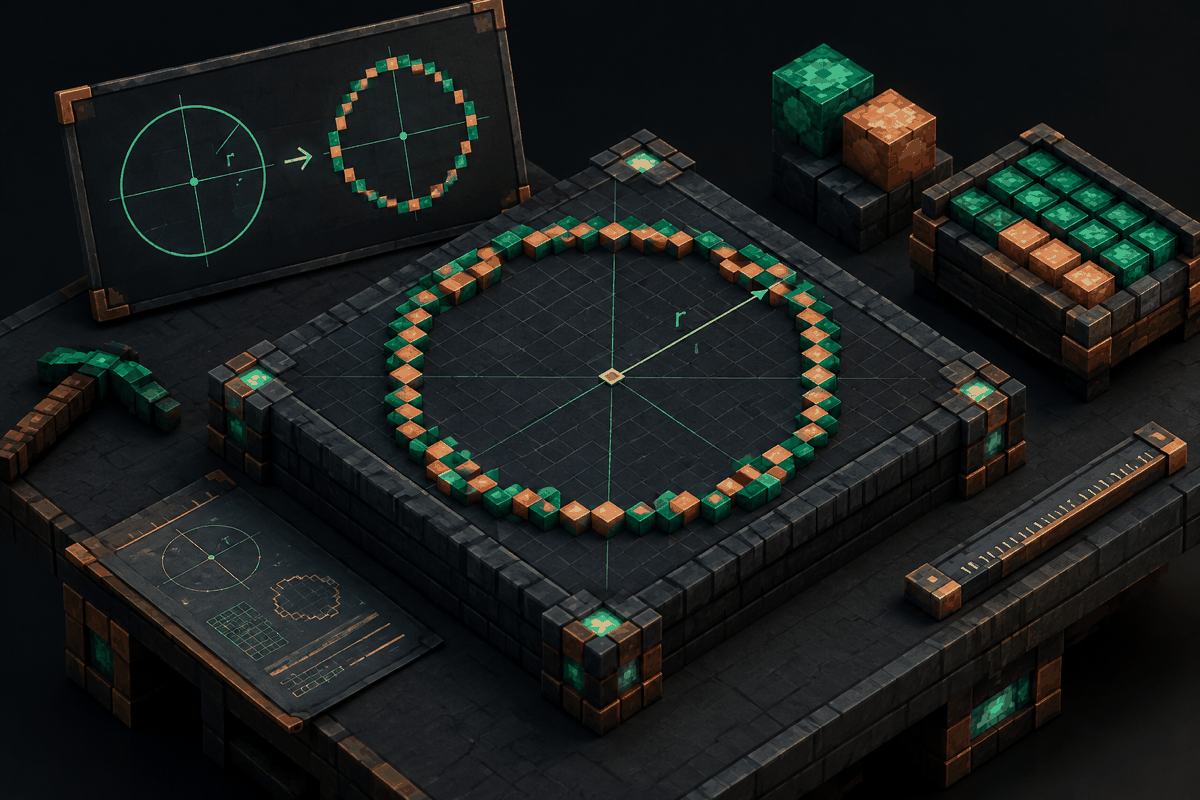
Minecraft circle rasterization is the process of converting a smooth mathematical circle into a pattern made from individual square blocks. Because Minecraft worlds are built on a grid, players cannot place perfectly curved lines. Instead, builders approximate curves by selecting block positions that create the visual impression of a circle when viewed from above.
In traditional computer graphics, rasterization means turning mathematical shapes into pixels. Minecraft uses a similar idea, but the pixels are replaced by blocks. A circle that exists as a formula must become a practical arrangement of blocks that a player can place, measure, and build with.
This concept is especially useful for large construction projects such as towers, arenas, domes, fountains, arenas, decorative floors, and pixel art. A small circle may only need a few blocks to look correct, while a large circle requires careful planning to maintain symmetry.
Players looking for ready-to-use layouts can use the circle tool or explore the circle chart tool to generate block patterns before starting a build.
Why Circle Rasterization Matters in Minecraft Builds
Minecraft blocks are square, but many architectural designs depend on curves. Without planning, circular structures often become uneven, asymmetrical, or accidentally oval. Rasterization provides a method for making circles that look intentional.
A correctly rasterized circle helps builders achieve:
- Balanced symmetry from every direction
- Consistent wall thickness in circular structures
- Accurate foundations for towers and domes
- Cleaner pixel art designs
- Easier expansion of large builds
For example, a player creating a circular wizard tower might start with a circle foundation. If the first layer is uneven, every higher layer may inherit the mistake. A properly calculated base makes later construction much easier.
How Minecraft Circle Rasterization Works
Mathematical Circles Versus Block Circles
A mathematical circle is usually described with the equation:
x² + y² = r²
where x and y represent positions on a grid and r represents the radius. In a digital environment, the curve must be sampled into discrete positions.
Minecraft builders do not normally calculate every coordinate manually. Instead, circle generators and charts apply rasterization methods to determine which blocks should be filled.
The goal is not to create a mathematically perfect circle in the strict sense. The goal is to create a pattern that looks circular when viewed in the game environment.
Symmetry and Quadrants
Most Minecraft circles are created by calculating one quarter of the shape and reflecting it across the other three sections. This reduces errors and ensures that each side matches.
A basic workflow is:
- Choose the desired diameter or radius.
- Create a coordinate grid around the center point.
- Select block positions that best represent the curve.
- Mirror the pattern across the horizontal and vertical axes.
- Place blocks according to the final layout.
This approach is useful because Minecraft circles depend heavily on visual balance. Even a single misplaced block can be noticeable in a small design.
Common Uses of Rasterized Circles in Minecraft
Circular Foundations
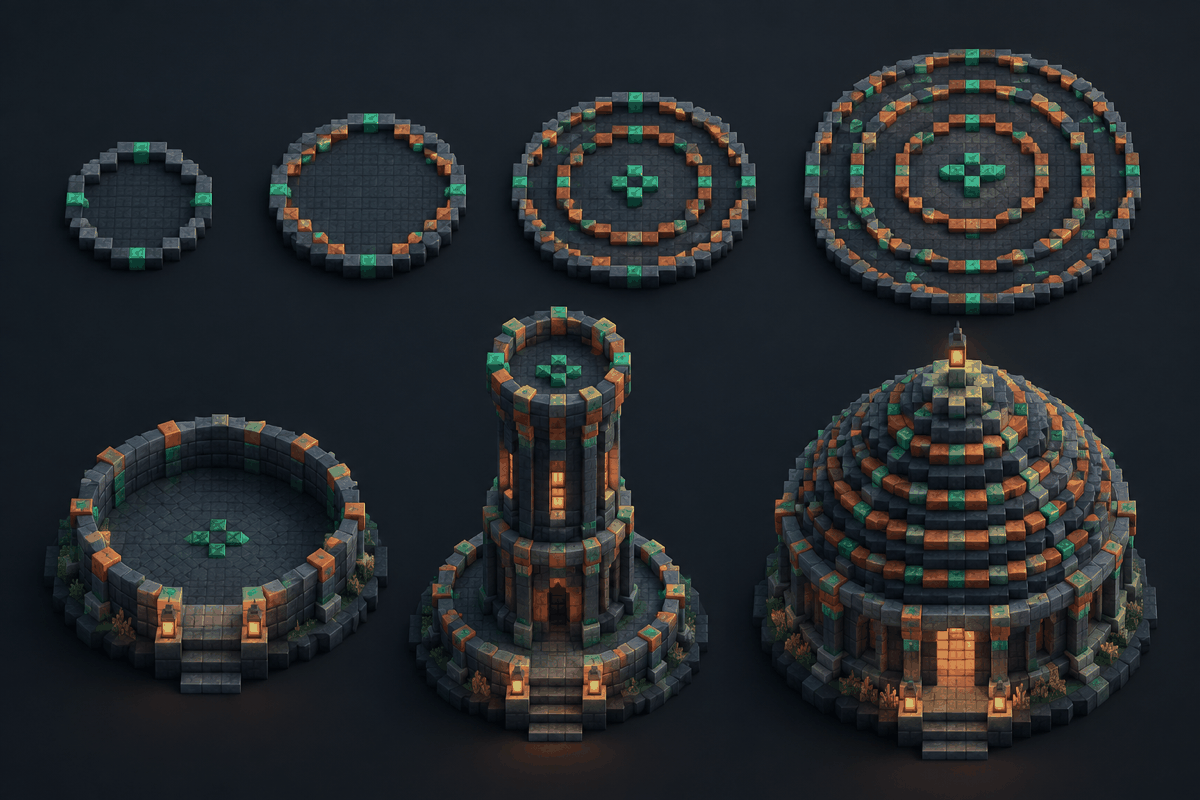
One of the most common uses is creating foundations for buildings. Towers, temples, castles, and underground rooms often benefit from circular bases.
A small circular foundation can define the shape of a simple home, while a large diameter circle can become the starting point for a major city landmark.
Builders who need related inspiration can also explore Minecraft house designs for structures that can incorporate circular elements.
Domes and Rounded Roofs
Domes require multiple circular layers stacked vertically. Each layer usually changes size gradually to create a smooth curve.
A dome generator can help determine the changing dimensions of each level. The same rasterization principles used for circles are applied repeatedly to create a three-dimensional shape.
The dome generator can be used when planning rounded structures that need consistent layers.
Pixel Art and Decorative Patterns
Minecraft pixel artists use rasterization concepts constantly. A circle may become an eye, emblem, planet, logo-inspired shape, or decorative pattern.
Unlike traditional drawing, every pixel becomes a block choice. Accurate planning helps artists avoid uneven edges and unwanted gaps.
The pixel art generator provides another way to approach block-based visual designs.
Choosing the Right Circle Size
The diameter of a Minecraft circle affects both its appearance and the available design options.
Small Circles
Small circles are useful for details such as windows, decorations, lamps, and compact structures. However, they have fewer possible block arrangements, so they may appear slightly angular.
Medium Circles
Medium circles provide a good balance between accuracy and building effort. They are commonly used for rooms, platforms, gardens, and towers.
Large Circles
Large circles allow smoother curves because more blocks are available to represent gradual changes. They are useful for arenas, giant monuments, and city layouts.
A larger diameter does not automatically guarantee a better build. The correct size depends on the purpose, available space, and desired visual style.
Circle Rasterization Tips for Better Builds
Mark the Center First
The center point is the foundation of the entire design. Place a marker block or temporary guide before creating the circle outline.
Build the Outline Before Filling
Creating the edge first makes it easier to check symmetry. Once the outline looks correct, filling the interior becomes much simpler.
Use Consistent Measurements
Large projects benefit from planning tools because manually counting blocks can introduce mistakes. A chart or generator can save time and reduce rebuilding.
Consider Perspective
A circle viewed from above may look different when experienced from ground level. Builders should consider how the final structure will be seen during normal gameplay.
Circle Rasterization and Related Minecraft Shape Tools
Circle rasterization is the foundation for many other block-based shapes. Once a builder understands circles, creating more advanced geometry becomes easier.
A sphere combines multiple circular layers to create a three-dimensional rounded object. The sphere generator can help plan these structures.
Stars, domes, and other decorative forms also rely on careful placement of blocks according to geometric rules. The star generator is another example of how mathematical planning can improve creative building.
Frequently Asked Questions
What does Minecraft circle rasterization mean?
Minecraft circle rasterization means converting a mathematical circle into a pattern of blocks that visually represents a circle inside Minecraft's square grid system.
Are Minecraft circles perfectly round?
Minecraft circles are approximations because blocks are square. Larger circles usually appear smoother because more blocks are available to represent the curve.
How do I make a circle in Minecraft without calculating coordinates?
The easiest method is to use a circle generator or chart that provides a block-by-block layout. This allows builders to follow a prepared pattern instead of calculating every position manually.
What is the difference between a circle and a sphere in Minecraft?
A circle is a two-dimensional outline or surface shape, while a sphere is a three-dimensional object made from multiple circular layers.
Why do large Minecraft circles look better than small ones?
Large circles have more blocks available to represent gradual curves. Small circles have limited placement options, which makes their edges appear more angular.
Start Planning Your Next Circular Build
Understanding circle rasterization helps Minecraft builders create cleaner, more accurate designs. Whether you are making a simple decorative pattern or a massive architectural project, a planned block layout can save time and improve the final result.
Use the Minecraft circle tool to create a practical starting point for your next build, then expand your skills by experimenting with other geometric generators and building techniques.