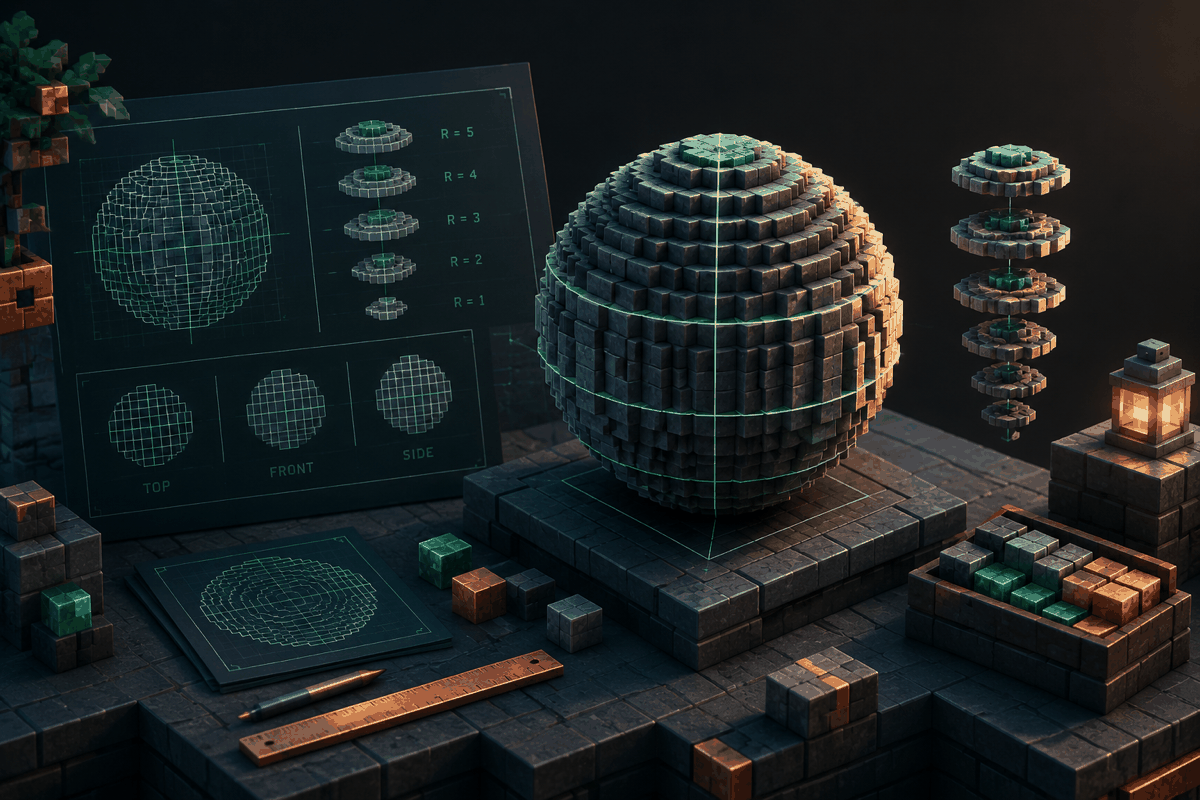
Creating a smooth sphere in Minecraft is one of the most satisfying building challenges, but it is also one of the easiest shapes to get wrong. Unlike a square room or a simple tower, a sphere requires careful planning because every layer changes size as the structure expands and contracts. A Minecraft sphere generator helps builders transform a complex three-dimensional shape into a practical block-by-block plan.
A good sphere plan removes much of the guesswork. Instead of placing blocks randomly and repeatedly adjusting the outline, builders can follow a measured layout that shows where each layer begins, how wide it should be, and how symmetry should be maintained. This makes sphere generators useful for survival bases, decorative builds, pixel-style projects, statues, domes, and large architectural designs.
This guide explains how Minecraft sphere generators work, how to choose the right dimensions, how to build spheres efficiently, and how to combine sphere planning with other MinecraftCircle resources such as the circle chart, dome generator, and pixel art generator.
What Is a Minecraft Sphere Generator?
A Minecraft sphere generator is a planning tool that creates a block layout for a spherical shape. Minecraft worlds are built from cubes, so a mathematically perfect sphere cannot exist exactly in the same way it would in a smooth 3D modeling program. Instead, sphere generators create a pixel-style approximation using carefully selected block positions.
The generator usually works by calculating the distance of blocks from a central point. Blocks that fall within a chosen radius are included in the design, producing a stepped but recognizable sphere shape. Larger spheres can appear smoother because the block transitions are spread across more space.
A sphere generator is especially useful because Minecraft building depends heavily on repetition and symmetry. A player may be able to create one side of a sphere by eye, but matching the opposite side is much harder. A generated plan provides a consistent reference.
Common uses include:
- Creating spherical roofs for fantasy buildings
- Designing planets, moons, or space-themed structures
- Building decorative towers and monuments
- Making large storage rooms or hidden bases
- Planning curved pixel art and statues
- Creating domes from a full sphere design
Why Spheres Are Difficult to Build Manually
Minecraft blocks naturally create straight lines, corners, and flat surfaces. A sphere requires the opposite: gradual changes in every direction. Each layer must become slightly wider until the center is reached, then gradually narrow again.
Several challenges make manual sphere construction difficult:
Maintaining symmetry
A sphere viewed from different angles should have the same proportions. If one side extends farther than another, the finished build can look uneven. A generator provides matching layers so each section follows the same pattern.
Managing layer sizes
A sphere is not simply a stack of identical circles. The middle layers are wider, while the top and bottom layers are smaller. Builders who estimate each layer often create shapes that look flat, stretched, or uneven.
Choosing the correct scale
A small sphere may only need a few layers, while a massive sphere can require hundreds of blocks. Selecting the right diameter before starting prevents wasted materials and redesign work.
How to Choose the Right Sphere Size
The best sphere size depends on the purpose of the build. A small decorative sphere and a giant centerpiece require very different approaches.
Small spheres
Small spheres are useful for details, decorations, and compact builds. They work well as:
- Floating ornaments
- Lamp designs
- Small sculptures
- Interior decorations
Because small spheres have fewer blocks, each layer change is more noticeable. A generator is helpful because manual adjustments can quickly make a small shape look irregular.
Medium spheres
Medium spheres are popular for practical builds. They can become rooms, towers, or architectural features. Many builders use them for fantasy structures because they create a strong visual focal point without requiring extreme material costs.
Large spheres
Large spheres are ideal for ambitious projects such as planets, arenas, and massive landmarks. These builds require more preparation because mistakes can involve thousands of blocks.
For large projects, it helps to create a blueprint first, gather materials, and build one layer at a time. A sphere generator makes this process much more manageable.
Step-by-Step: Building a Sphere With a Generator
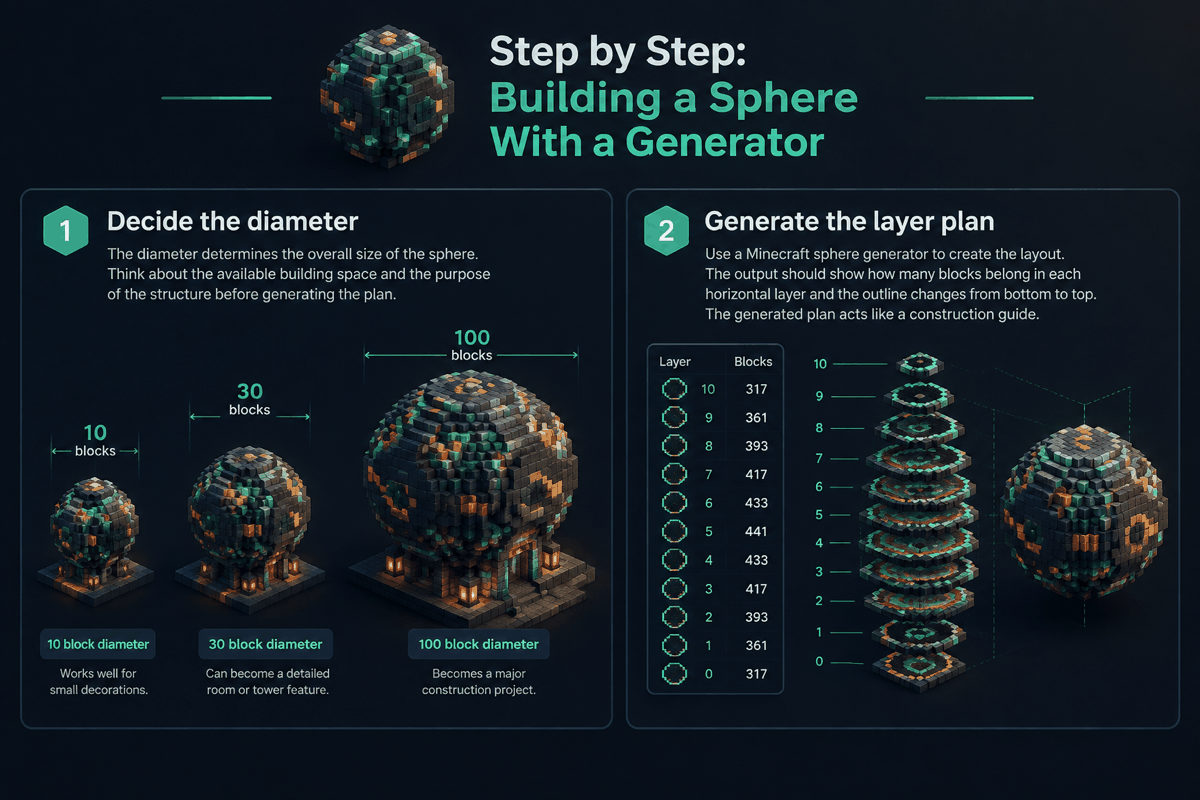
Step 1: Decide the diameter
The diameter determines the overall size of the sphere. Think about the available building space and the purpose of the structure before generating the plan.
For example:
- A 10-block diameter sphere works well for small decorations.
- A 30-block diameter sphere can become a detailed room or tower feature.
- A 100-block diameter sphere becomes a major construction project.
Step 2: Generate the layer plan
Use a Minecraft sphere generator to create the layout. The output should show how many blocks belong in each horizontal layer and how the outline changes from bottom to top.
The generated plan acts like a construction guide. Instead of thinking about the entire sphere at once, focus on one layer at a time.
Step 3: Build from the center outward
Finding the exact center is important. Mark the middle point before placing blocks so every direction remains balanced.
Many builders start with a vertical and horizontal axis. These reference lines help maintain alignment and make checking symmetry easier.
Step 4: Complete each layer carefully
Build each layer according to the generated pattern. Check the shape from multiple angles as you progress. A sphere may look correct from one side while being uneven from another.
Step 5: Add details after the structure is complete
Once the basic sphere is finished, customize it with materials, lighting, windows, textures, or additional structures. The sphere should provide the foundation, not limit creativity.
Combining Sphere Generators With Other Minecraft Planning Tools
Sphere projects often connect with other geometric shapes. A complete build may require circles, domes, ovals, or custom patterns.
For example, a fantasy tower might use a circular foundation, a spherical roof section, and a decorative dome. A science-fiction base might combine a sphere with pixel art panels and symmetrical entrances.
Useful combinations include:
Sphere and circle planning
A sphere is made from many circular layers. Using a circle chart can help when designing individual layers or creating custom circular platforms.
Sphere and dome designs
Many Minecraft builds only need the upper half of a sphere. Instead of creating a complete sphere and removing blocks manually, builders can use a dome generator for faster planning.
Sphere and pixel art projects
Rounded statues, character heads, and decorative objects often combine spherical forms with pixel patterns. A pixel art generator can help organize detailed designs.
Common Sphere Building Mistakes
Even with a generator, builders can run into problems. Understanding common mistakes makes construction faster.
Mistake 1: Building without a center point
Starting without marking the center often causes alignment issues. Always establish the middle before placing the outer layers.
Mistake 2: Changing the scale halfway through
A sphere design depends on consistent measurements. Increasing or reducing layers during construction usually creates an uneven shape.
Mistake 3: Ignoring viewing angles
Minecraft builds are experienced from many directions. Walk around the structure regularly to check whether the curves appear balanced.
Mistake 4: Choosing unsuitable materials
Large spheres can become visually overwhelming if the block palette is too busy. Consider using a limited group of materials and adding detail strategically.
Practical Examples of Sphere Builds
A sphere generator can support many creative ideas.
A fantasy crystal tower
A glowing sphere placed above a tower can create a magical centerpiece. The sphere can use glass, amethyst-inspired colors, or lighting effects to stand out.
A planetary display
Builders can create miniature planets by making several spheres of different sizes and combining them with custom terrain or orbit designs.
A hidden survival base
A sphere underground or underwater can become a compact but efficient survival home. The curved walls provide a unique interior layout while protecting valuable resources.
A giant statue component
Many large statues use spheres for heads, helmets, or rounded armor sections. A generator helps keep these important shapes proportional.
Tips for Better Minecraft Sphere Results
A generator creates the structure, but good building decisions create the final quality.
- Preview the size before collecting materials.
- Use temporary blocks when testing large shapes.
- Keep a backup copy of important worlds before major edits.
- Combine generated layouts with your own creative adjustments.
- Use lighting and texture changes to emphasize curves.
- Build reference markers so large spheres stay aligned.
The best results usually come from combining accurate planning with personal creativity. A generated sphere is a foundation that saves time, not a replacement for design choices.
Frequently Asked Questions
What is the best size for a Minecraft sphere?
The best size depends on the purpose of the build. Small spheres are easier for decoration, medium spheres work well for rooms and structures, and large spheres are better for landmarks or advanced projects.
Are Minecraft sphere generators accurate?
Sphere generators create block-based approximations of spheres. Because Minecraft uses cubes, the result will have stepped edges, but a good generator produces a balanced and symmetrical shape.
Can I use a sphere generator for survival builds?
Yes. Sphere generators are useful for survival because they reduce planning mistakes and help estimate material requirements before construction begins.
Can a sphere generator create domes?
A sphere layout can be adapted into a dome by using only part of the structure, but a dedicated dome generator may be more convenient for dome-only projects.
How do I make a sphere look smoother in Minecraft?
Using a larger diameter generally creates smoother-looking curves because the shape changes gradually across more blocks. Material choices and lighting can also improve the final appearance.
Start Planning Your Next Curved Build
A Minecraft sphere generator turns one of the most challenging Minecraft shapes into a structured building project. Whether you are creating a small decoration, a massive landmark, or a detailed architectural feature, a measured plan can save time and improve accuracy.
Explore the sphere generator to create your next spherical design, then combine it with other MinecraftCircle resources for circles, domes, and creative layouts.