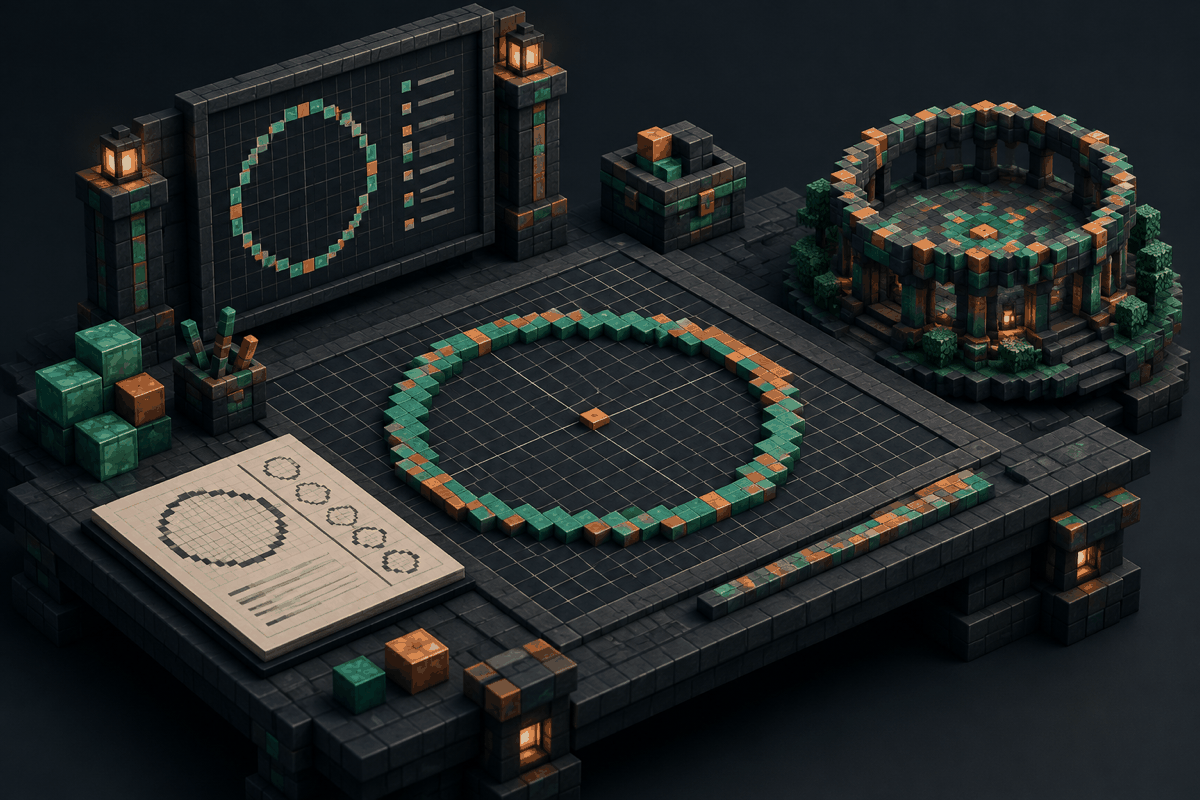
Creating a smooth circle in Minecraft can be surprisingly difficult. Unlike games with free-form curves, Minecraft builds are made from square blocks placed on a grid. A shape that looks perfectly round in a drawing tool can become uneven when translated into rows of blocks. This is why builders often use a Minecraft circle generator to plan layouts before placing hundreds or thousands of blocks.
A circle generator converts mathematical curves into practical block patterns. Instead of guessing where each block should go, builders can follow a clear arrangement of rows and columns. This makes it easier to create towers, arenas, walls, pixel art, domes, fountains, and decorative structures with consistent symmetry.
This guide explains how Minecraft circle generators work, how to read a Minecraft circle chart, when to use different generators, and how to turn generated patterns into impressive builds.
What Is a Minecraft Circle Generator?
A Minecraft circle generator is a planning tool that creates a block-by-block representation of a circular shape. It takes a desired diameter or width and produces a pattern showing where blocks should be placed.
Because Minecraft worlds use a square grid, a true mathematical circle cannot be copied exactly. Instead, generators create an approximation that looks circular when viewed from above. The larger the circle, the smoother the result usually appears because more blocks are available to represent the curve.
Common uses include:
- Circular bases for towers and castles
- Arena floors and walls
- Crop farms with rounded designs
- Underground rooms
- Decorative rings and platforms
- Pixel art outlines
- Fantasy structures with curved walls
A generator is especially useful when accuracy matters. A small mistake near the beginning of a build can become very noticeable after repeating the pattern around a large structure.
Why Minecraft Circles Are Difficult to Build Manually
A Minecraft circle is not made by placing blocks in a continuous curved line. Builders must decide how many blocks belong in each row while keeping opposite sides balanced.
For example, a small circle might use a pattern such as:
- A few blocks in the center rows
- Slightly longer rows near the widest section
- Matching steps on each side
The challenge increases with size. A 5-block or 7-block circle can often be created by eye, but a 50-block or 100-block circle requires careful planning.
Manual building mistakes commonly include:
- Uneven sides
- Missing symmetry
- Corners that appear too sharp
- Curves that expand too quickly or slowly
- Difficulty repeating the same design later
A Minecraft circle chart removes much of this uncertainty by displaying the pattern before construction begins.
How to Use a Minecraft Circle Generator
Using a circle generator is usually a simple process, but understanding the output helps you create better builds.
Step 1: Choose Your Circle Size
The first decision is the diameter. The diameter is the distance across the widest part of the circle.
Examples:
- A 9-block circle works well for small decorations.
- A 21-block circle can create a medium tower foundation.
- A 101-block circle can become the base of a large arena or city feature.
Choose a size based on the final purpose of the build. A decorative window does not need the same planning as a giant fortress wall.
Step 2: Review the Generated Pattern
The generator output usually appears as a grid. Each square represents a Minecraft block placement.
Before building, check:
- The overall symmetry
- The number of blocks in each row
- The center point
- The widest sections
- Any repeating patterns
For large projects, marking the center with temporary blocks can make construction much easier.
Step 3: Build From the Center Outward
A reliable technique is to establish the center first, then expand outward.
This method helps maintain balance because you always know where the opposite side should match. It is especially useful for circular rooms, towers, and underground chambers.
For raised structures, consider building the outline first before filling the interior. This allows you to adjust the shape before investing materials.
Understanding Minecraft Circle Charts
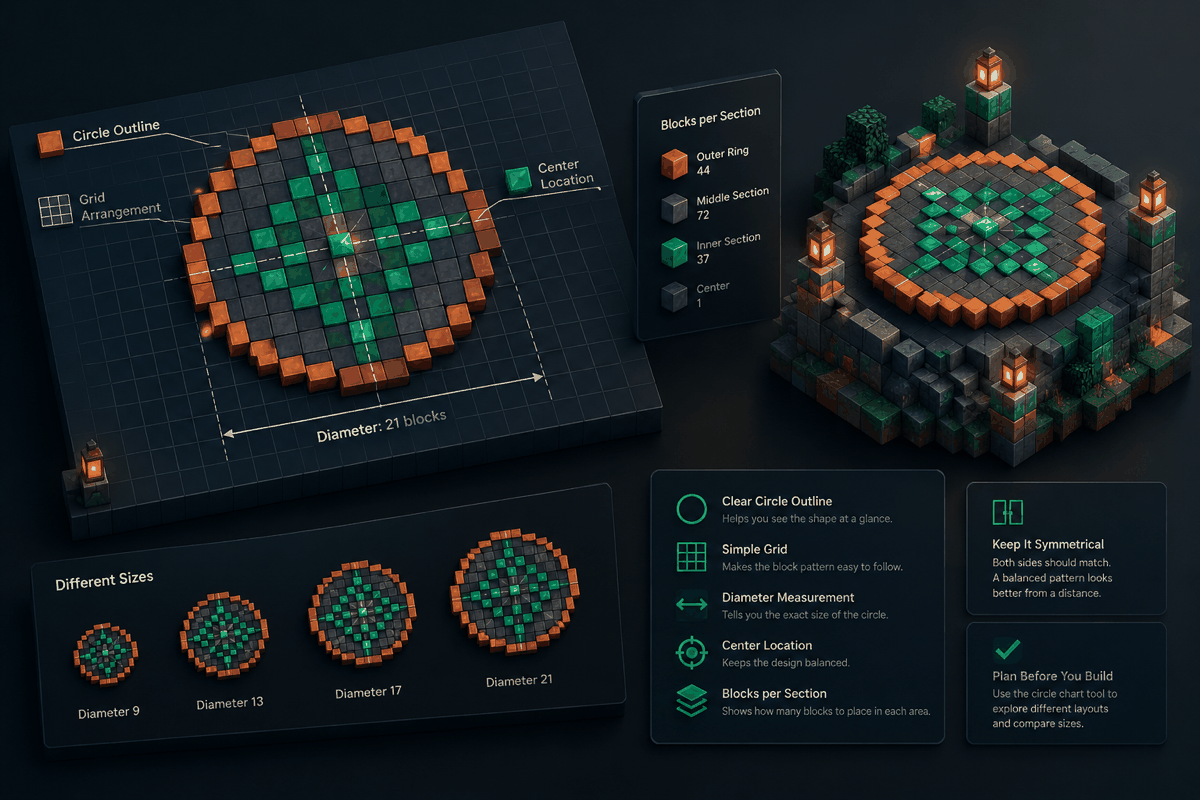
A Minecraft circle chart is a visual guide that displays a circle as a block pattern. Many builders use charts because they can quickly compare sizes and copy designs manually.
A chart normally shows:
- The circle outline
- The grid arrangement
- The diameter measurement
- The center location
- The number of blocks in each section
Charts are useful when working away from a browser because you can keep the pattern open while building in-game.
A good chart should make symmetry obvious. If one side does not match the other, the final structure may look uneven from a distance.
You can use the Minecraft circle chart tool to explore different circular layouts and compare sizes before starting your project.
Choosing the Right Shape Generator for Your Build
Not every project needs a simple circle. Minecraft builders often combine multiple geometric shapes to create advanced designs.
Minecraft Oval Generator
An oval is useful when you need a stretched circular shape. Examples include:
- Stadiums
- Large rooms
- Decorative pools
- Airship designs
A circle can feel too compact for some builds, while an oval provides more usable space. Planning the proportions first prevents awkward curves.
Minecraft Sphere Generator
A sphere generator helps create three-dimensional rounded structures. Instead of only planning a top-down outline, it provides layers that stack into a complete shape.
Common sphere uses include:
- Floating islands
- Giant decorative objects
- Planet builds
- Fantasy structures
You can find more options through the Minecraft sphere generator tool.
Minecraft Dome Generator
A dome is essentially a curved half-sphere. Domes are popular for:
- Observatory builds
- Temples
- Greenhouses
- Modern architecture
A dome generator helps maintain a consistent curve as the height increases. Without a guide, domes often become too flat or too steep.
Explore dome layouts with the Minecraft dome generator.
Minecraft Pixel Art Generator
Pixel art depends on accurate placement rather than realistic curves. A generator can help convert an idea into a block-based design with a clear grid structure.
Pixel art builders often use generators to create:
- Symbols
- Characters
- Decorative murals
- Custom patterns
The Minecraft pixel art generator can help plan designs before placing individual blocks.
Practical Building Examples
Example 1: Creating a Circular Tower
Imagine building a medieval watchtower. A circle generator can help you choose a foundation size, create the outer wall, and keep the interior usable.
A practical workflow:
- Select the tower diameter.
- Mark the center location.
- Place temporary markers around the outline.
- Replace markers with stone, brick, or another building material.
- Add floors and details after confirming the shape.
This approach prevents rebuilding the foundation later.
Example 2: Designing a Circular Arena
Large arenas benefit from precise planning because players see the shape from many angles.
A generator helps determine:
- Seating space
- Entrance placement
- Wall thickness
- Decorative rings
You can also combine circles with stairs, paths, and lighting patterns for a more detailed design.
Example 3: Building a Fantasy Dome
A fantasy dome can combine a circular base with layered vertical sections. Using a dome generator first provides the structure, while materials and decoration create the theme.
A builder might use glass for a greenhouse, colored blocks for a magical tower, or stone for an ancient temple.
Tips for Better Minecraft Circle Builds
Use Temporary Blocks
Before committing valuable materials, outline your design with inexpensive blocks. Dirt, wool, or cobblestone can work well for testing.
Check the Shape From a Distance
A circle that looks correct while standing inside it may appear uneven from above or from far away. Use elevated viewpoints to inspect large projects.
Consider Block Scale
Small circles have limited detail. If you need a smoother curve, increase the size rather than forcing a tiny design to do too much.
Combine Multiple Shapes
Advanced builds often use several generators together. A castle tower may combine circles, domes, and custom pixel patterns. A modern base may combine circles with rectangles and diagonal features.
Common Mistakes When Building Circles
Choosing the Wrong Diameter
A circle that is too small may not provide enough room for your intended purpose. Plan the interior space before selecting the final size.
Ignoring the Center Point
Losing track of the center can cause the entire build to shift. Always mark the middle before expanding outward.
Copying Patterns Without Understanding Them
Generators provide layouts, but builders still need to understand scale and placement. Knowing why a pattern works makes it easier to modify designs.
FAQ About Minecraft Circle Generators
What is the best size for a Minecraft circle?
The best size depends on the build. Small circles work for decorations and small rooms, while larger circles are better for towers, arenas, and detailed structures. Choose a diameter based on the space and purpose of the project.
Can a Minecraft circle generator create perfect circles?
Minecraft circles are always block-based approximations because the game uses a square grid. A generator creates a visually balanced pattern rather than a mathematically perfect curve.
How do I make a large circle in Minecraft without mistakes?
Start by marking the center, use a generated pattern, build the outline first, and check symmetry before filling the structure. Large circles are easier when divided into manageable sections.
What is the difference between a circle chart and a circle generator?
A circle chart is usually a visual reference showing a block pattern, while a generator creates the pattern based on selected measurements. Both help builders create accurate circular designs.
Can I use a circle generator for pixel art?
Yes. Circular patterns are useful for pixel art outlines, logos, symbols, and decorative designs. For more complex images, a dedicated pixel art generator may provide better results.
Start Planning Your Next Minecraft Build
Accurate planning can save time, reduce material waste, and make large Minecraft projects easier to complete. A Minecraft circle generator gives you a reliable foundation for everything from simple decorations to massive architectural builds.
When you are ready to create a measured circular layout, try the Minecraft circle generator and explore additional planning options through MinecraftCircle.