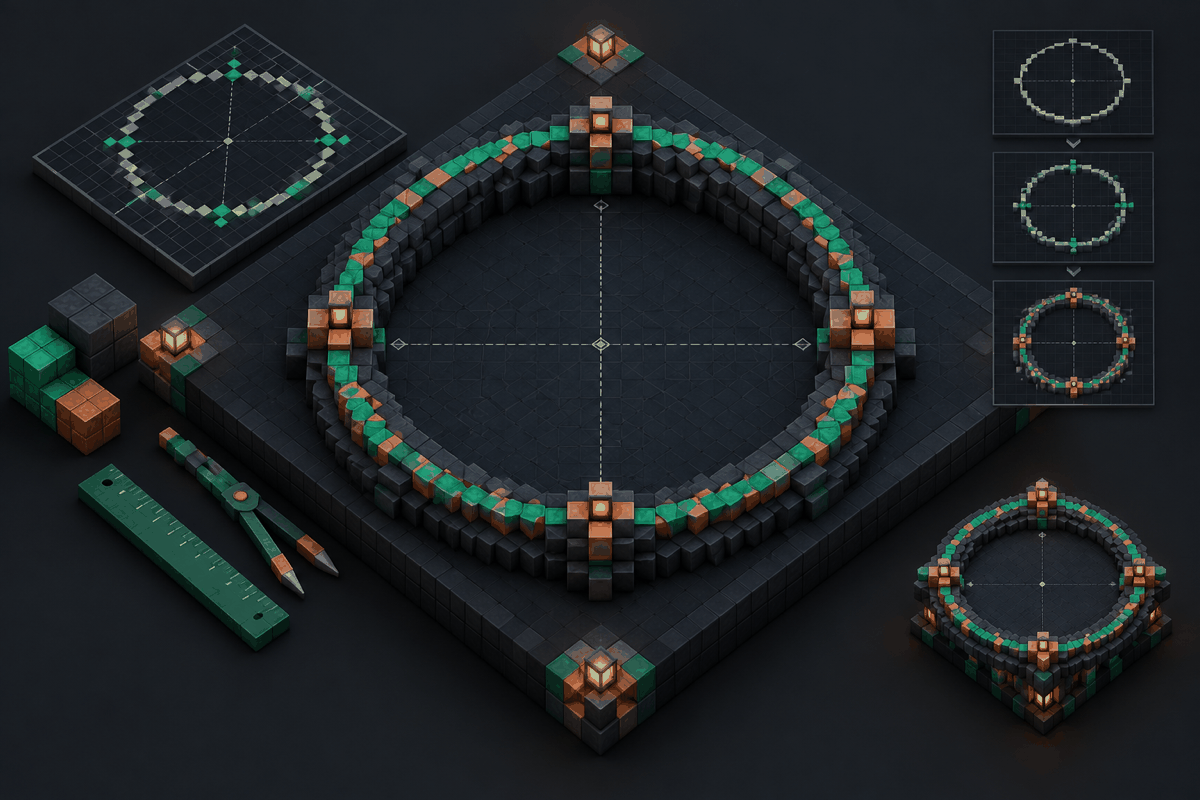
Building a large Minecraft circle is one of the most satisfying challenges in block construction. A small circle can often be shaped by eye, but larger designs quickly reveal the limits of guessing. A few misplaced blocks can make one side wider than the other, create uneven curves, or ruin the balance of a major structure such as a tower, arena, dome, or decorative platform.
The reason large circles are difficult is simple: Minecraft worlds are built on a square grid. Real circles rely on continuous curves, while Minecraft circles must approximate those curves using individual blocks. The larger the circle becomes, the more important planning, measurement, and symmetry become.
This guide explains how to design and build a large Minecraft circle without losing symmetry. You will learn how circle proportions work, how to avoid common mistakes, how to use planning tools effectively, and how to adapt circular layouts into larger builds.
Why large Minecraft circles are challenging
A Minecraft circle is not made from curved blocks. Every edge is a sequence of square blocks arranged to create the impression of a curve. When a circle is only a few blocks wide, small differences are easy to ignore. In a large circle, however, the pattern becomes much more visible.
Several factors make larger circles harder:
- The grid controls every decision. You cannot place a block halfway between two positions, so every curve must follow a block pattern.
- Small errors multiply. A one-block mistake repeated across a large design can create obvious asymmetry.
- The center point matters. If the center is not marked correctly, both halves of the circle can drift apart.
- Different sizes require different patterns. A design that works for a 20-block circle will not scale perfectly to a 100-block circle.
For large projects, planning before placing blocks saves significant time. A measured outline gives you a reliable foundation before you start adding walls, floors, roofs, or decorations.
Understanding the structure of a large Minecraft circle
Before building, identify the important parts of your circle layout.
Find the exact center
Every symmetrical circle begins with a center point. Mark this location with a temporary block, marker, or column. From this point, measure outward equally in all directions.
For example, if you want a circle with a diameter of 50 blocks, the center should have approximately 25 blocks of distance to the outer edge in each direction. The exact placement depends on whether your design uses an odd or even diameter, but the key principle remains the same: every side must reference the same center.
Decide the diameter before building
A common mistake is starting a circle without deciding its final size. This often leads to awkward expansions later.
Think about the purpose of the circle first:
- A small decorative pattern may only need a compact layout.
- A large arena may need a wide open interior.
- A dome or tower base may require a carefully calculated foundation.
Choosing the diameter early allows you to select the right pattern and avoid rebuilding.
Work with quadrants
One of the easiest ways to preserve symmetry is to build one quarter of the circle first. A circle can be divided into four equal sections. If one quadrant is accurate, the remaining three can follow the same pattern.
This method reduces mistakes because you are not trying to judge the entire shape at once. Instead, you focus on a smaller section and mirror the design around the center.
Planning a large Minecraft circle step by step
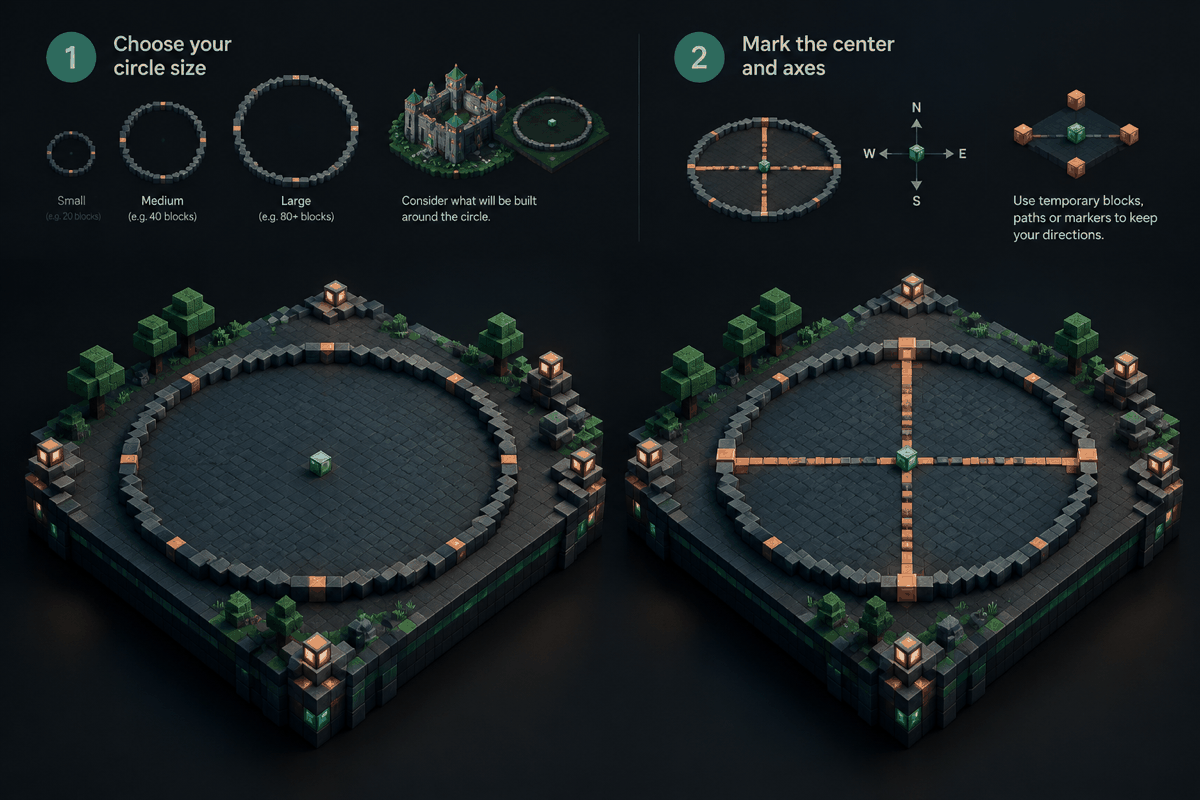
Step 1: Choose your circle size
Start with the final diameter you need. Consider the available space and what will be built around the circle.
A large circle for a castle courtyard may need a different shape than a circular building foundation. The larger the diameter, the more blocks you will need around the perimeter, so planning ahead helps estimate the workload.
Step 2: Mark the center and axes
Create guide lines extending north, south, east, and west from the center. These lines divide the circle into four sections and provide reference points during construction.
Temporary blocks, paths, or markers can help you maintain these directions while building. Once the outline is complete, the guides can be removed or replaced with permanent design elements.
Step 3: Build the outer curve carefully
The outside edge defines the entire circle. Focus on creating a smooth progression of blocks rather than filling the interior immediately.
A good circle pattern usually changes direction gradually. Sharp jumps create corners, while overly frequent changes can make the shape look uneven.
Step 4: Check symmetry before filling the interior
Before adding floors, walls, or decorations, walk around the outline and compare opposite sides. Look for differences in:
- Width between opposite edges
- Distance from the center
- Repeating block patterns
- Curve transitions
Fixing the outline early is much easier than correcting a finished structure.
Using circle planning tools for accuracy
Manual construction is a useful skill, but large circles can require many calculations. A planning tool can provide a visual reference before you begin placing blocks.
A dedicated Minecraft circle generator can help you create a block-by-block outline for different sizes. Instead of estimating every curve, you can use a prepared pattern and focus on construction.
For builders who prefer visual references, a Minecraft circle chart provides another way to compare sizes and understand how different diameters affect the final shape.
These tools are especially useful for:
- Large decorative floors
- Circular towers
- Stadiums and arenas
- Crop layouts
- Fantasy builds with curved foundations
- Redstone projects requiring exact spacing
The goal is not to remove creativity. Planning tools simply reduce repetitive measuring so you can spend more time designing the finished build.
Common mistakes when building large circles
Even experienced builders can run into problems with large circular designs. Understanding common mistakes helps prevent wasted work.
Guessing the curve by eye
A circle may look correct from one angle while being noticeably uneven from above. Large builds exaggerate these differences.
Using a planned pattern or measured reference keeps the design consistent.
Expanding a small circle without recalculating
A common approach is to create a small circle and add layers outward. This can work for simple designs, but the curve pattern changes as the diameter increases.
Instead of copying the same shape repeatedly, create a layout designed for the final size.
Ignoring the center alignment
A circle can appear almost correct while still being shifted by one block. This becomes especially noticeable when adding symmetrical structures around it.
Always establish the center before creating the perimeter.
Adding details too early
Decorations can hide mistakes temporarily, but they make repairs harder later. Finish the main geometry first, then add details such as pathways, patterns, lighting, and landscaping.
Turning a large circle into a bigger build
A circle is often the starting point rather than the final design. Once the foundation is correct, many advanced structures become easier.
Circular buildings
A large circle works well as the base of:
- Wizard towers
- Temples
- Storage halls
- Meeting chambers
- Underground bases
After creating the foundation, you can add walls and roofs while keeping the original symmetry.
Domes and spheres
Circles are also essential for three-dimensional projects. A circular base can become the foundation for a dome or sphere.
If you are creating a rounded structure, explore a Minecraft dome generator or a Minecraft sphere generator to plan the vertical layers as well as the base shape.
Decorative patterns and pixel art
Large circles can also become artistic designs. Builders often use them for logos, symbols, gardens, arenas, or floor mosaics.
For more detailed block artwork, a Minecraft pixel art generator can help transform ideas into structured layouts.
Practical building tips for survival worlds
Large circles can require thousands of blocks, especially when they become the foundation of major structures. A few practical habits make the process easier.
Gather materials before starting
Estimate the number of blocks you need before beginning. Running out of materials halfway through a large outline can interrupt the project and make it harder to maintain focus.
Use temporary materials for outlines
Rare blocks are better saved for the final design. Use easily replaceable materials for the first outline, then upgrade the appearance after the shape is confirmed.
Build from the outside inward
The perimeter determines the accuracy of the circle. Once the edge is complete, filling the interior becomes much simpler.
Take overhead views when possible
A circle that looks correct from ground level may reveal problems from above. Checking the shape from a higher viewpoint helps identify uneven sections quickly.
FAQ about large Minecraft circles
What is the best way to make a large Minecraft circle?
The most reliable method is to mark the center, create a measured outline, build one quadrant accurately, and mirror the pattern across the other sections. Planning tools can make the process faster for very large designs.
How do I keep a Minecraft circle symmetrical?
Use a fixed center point and measure every section from that location. Avoid changing the curve by eye because small differences become more noticeable as the circle grows.
What diameter should I use for a large Minecraft circle?
The best diameter depends on your project. Decorative builds may need only a few dozen blocks, while arenas, towers, and large foundations may require much larger layouts.
Can I use a large circle as a base for a dome?
Yes. A circle is often the first layer of a dome or sphere. After creating the base, you can build upward using additional circular layers with changing sizes.
Do circle generators remove creativity from building?
No. A generator provides a geometric foundation, but the final design choices remain yours. Builders can still choose materials, themes, decorations, and architectural styles.
Build your next large Minecraft circle with confidence
Symmetry is what makes large circular builds feel impressive. By choosing the right size, marking the center, planning the curve, and checking the outline before adding details, you can create circles that look intentional and professional.
When you are ready to plan your next project, use MinecraftCircle to create accurate layouts before placing blocks. Start with the Minecraft circle generator, then explore related tools for spheres, domes, stars, and other creative builds.